
The best way to eliminate cable clutter and power surges in your Century City home office
Your home office setup in Century City deserves better than a tangled mess of cords and the constant worry about power surges damaging your equipment. As remote work becomes the norm for professionals in this area, the intersection of productivity and safety has never been more critical.
Many Century City residents work from converted spaces in mid-century modern homes or newer condos near Westfield Century City. These setups often struggle with limited outlets and poor cable routing. A professional approach to cable management does more than just tidy things up. It prevents electrical hazards and protects your expensive equipment from power fluctuations that are common in this area. Electrical Inglewood.
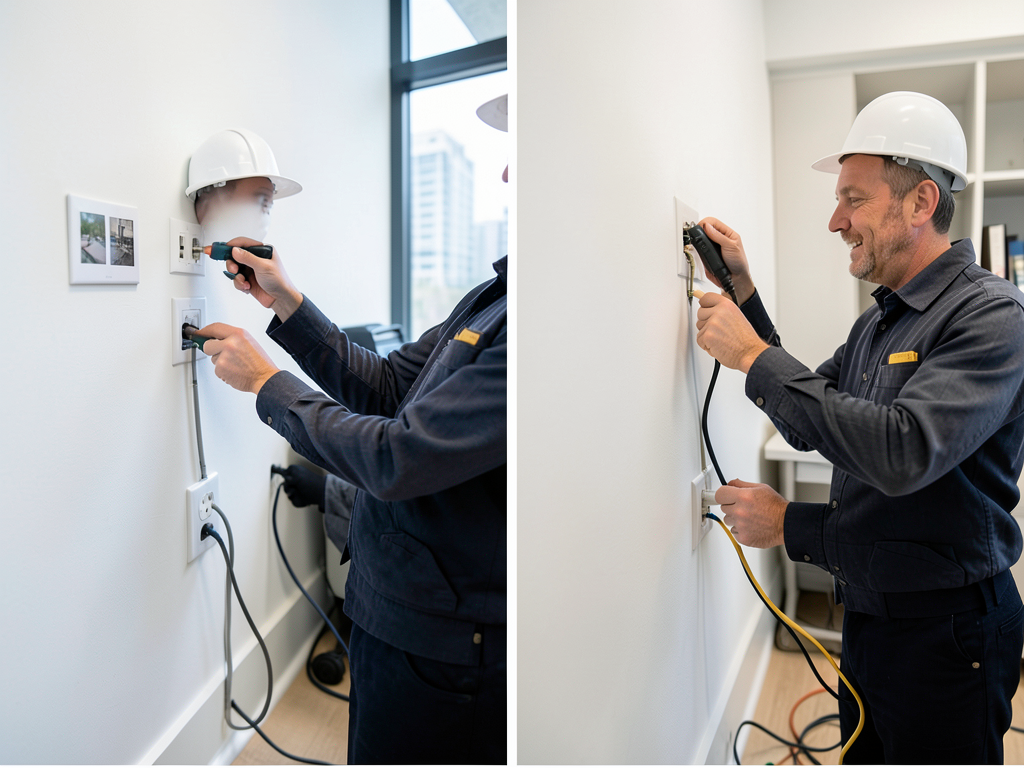
Professional cable management starts with understanding your specific needs. Do you have multiple monitors? A high-end gaming PC? A laser printer? Each device draws different amounts of power and creates unique cable routing challenges. A professional electrician can assess your setup and recommend solutions that keep your workspace both functional and safe.
Common Home Office Electrical Hazards in Older LA Homes
Century City homes built in the 1960s and 1970s often have electrical systems that weren’t designed for today’s technology demands. These older homes typically feature 60-amp service panels with limited circuits. When you plug in multiple devices, you risk overloading circuits and creating fire hazards.
Power strips daisy-chained together create another serious risk. This practice violates electrical codes and can lead to overheating. The National Electrical Code specifically prohibits connecting multiple power strips in series because it creates dangerous current draw that standard breakers may not detect until it’s too late. National Fire Protection Association electrical fire statistics.
Surge protection presents another challenge. Century City experiences occasional power fluctuations from the LADWP grid, especially during heat waves when air conditioning use spikes. Without proper surge protection, voltage spikes can destroy sensitive electronics in seconds.
Grounding issues plague many older LA homes. If your outlets only have two prongs, your equipment lacks proper grounding. This creates a shock hazard and leaves your devices vulnerable to damage from static electricity and power surges.
Professional Solutions: In-Wall Routing vs. External Management
Professional cable management falls into two main categories: in-wall routing and external management. Each has specific applications depending on your home office setup and local building codes.
In-wall cable routing provides the cleanest look by running cables through walls to recessed outlets. This approach requires cutting into drywall and fishing cables through wall cavities. A licensed electrician must perform this work to ensure compliance with National Electrical Code requirements for in-wall cable rated (CL2/CL3) wiring. Safely Wiring Your New Pool or Hot Tub in Encino.
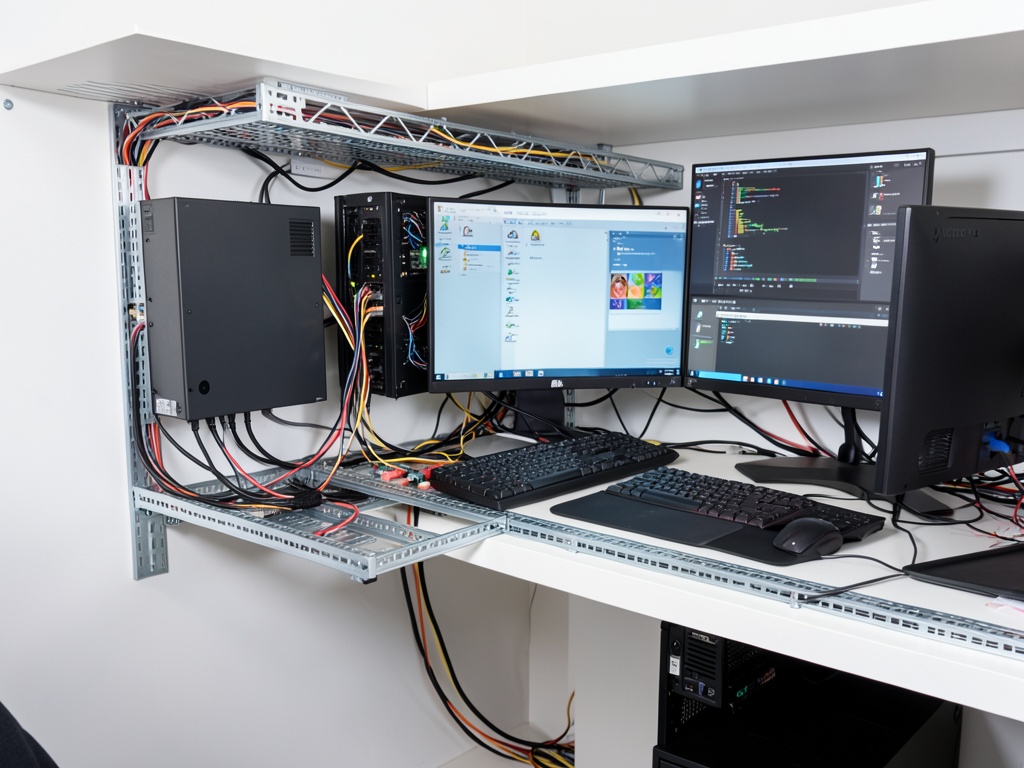
External cable management uses raceways, trays, and sleeves to organize cables along surfaces. This method works well for renters or situations where wall modification isn’t possible. Modern cable raceways come in paintable materials that blend with your decor.
The choice between these methods depends on several factors. In-wall routing provides a permanent solution that adds value to your home. External management offers flexibility for changing setups. Many Century City home offices benefit from a hybrid approach using in-wall power for fixed equipment and external management for peripherals.
The Safety Factor: Overloaded Circuits and Fire Prevention
Electrical fires cause hundreds of injuries and millions in property damage annually. Overloaded circuits represent a leading cause. When circuits draw more current than they’re designed to handle, wiring heats up and insulation can melt, creating fire hazards.
Professional electricians use thermal imaging cameras to detect hot spots in electrical panels and wiring. These cameras reveal dangerous temperature increases before they cause problems. This diagnostic service identifies overloaded circuits that might not trip breakers but still pose fire risks.
Arc fault circuit interrupters (AFCIs) provide another layer of protection. These devices detect dangerous electrical arcs that standard breakers miss. AFCIs trip when they sense the characteristic electrical signature of arcing, preventing fires from damaged cords or loose connections.
Ground fault circuit interrupters (GFCIs) protect against shock hazards in areas where water might be present. While not typically required in home offices, GFCI protection adds safety for equipment near windows or in basements where moisture could be an issue.
Custom Integrated Power Solutions for Modern Desk Setups
Today’s home office equipment demands more power than ever before. A dual-monitor setup with a high-end PC can draw 500-800 watts. Add a laser printer, external hard drives, and networking equipment, and you’re looking at significant power requirements.
Power distribution units (PDUs) offer professional-grade power management for complex setups. These devices provide multiple outlets with individual circuit protection and often include surge suppression. PDUs help balance loads across circuits and prevent overloads.
USB-C charging integrated into desk power stations eliminates the need for multiple wall adapters. These units provide fast charging for phones, tablets, and laptops while reducing cable clutter. Many models include wireless charging pads for even cleaner setups.
Ethernet over powerline adapters provide network connectivity without running Ethernet cables. These devices use your home’s electrical wiring to transmit data, eliminating the need for network cables across rooms. This technology works well in Century City homes where running new network cables might be difficult.
Our Los Angeles Service Areas and Process
We serve Century City and surrounding areas including Beverly Hills, Westwood, and Cheviot Hills. Our electricians understand the specific challenges of working in LA’s building stock, from mid-century homes to modern condos. Upgrading your Beverly Hills estate to a 400 amp electrical service.
Our process begins with a free consultation to assess your current setup. We evaluate your electrical panel capacity, identify potential hazards, and discuss your equipment needs. This assessment helps us recommend the most cost-effective solutions for your specific situation.
Installation typically takes one day for most home office setups. We coordinate with building management for condo installations and handle all necessary permits for wall modifications. Our work includes cleanup and a final safety inspection to ensure everything meets code requirements.
We provide detailed documentation of all work performed, including circuit load calculations and warranty information for installed equipment. This documentation proves valuable for insurance purposes and future home sales.
Cable Management Materials Comparison
| Material | Best For | Cost Range | Installation Difficulty |
|---|---|---|---|
| J-channel raceways | Wall surface mounting | $5-15 per foot | Easy |
| Cable sleeves | Bundle management | $2-8 per foot | Easy |
| Under-desk trays | Desk organization | $30-100 per tray | Easy |
| In-wall conduit | Hidden routing | $10-25 per foot | Professional |
| Floor cord covers | Walkway protection | $15-40 per cover | Easy |
Surge Protection Options for Home Offices
| Type | Protection Level | Best For | Cost Range |
|---|---|---|---|
| Basic power strip | 300-600 joules | Small electronics | $15-30 |
| Advanced surge protector | 1000-2000 joules | Computers and monitors | $40-80 |
| Whole-house surge protection | 20,000+ joules | Complete home protection | $300-600 installed |
| UPS battery backup | Variable | Critical equipment | $100-500 |
Step-by-Step Professional Cable Management Process
- Initial Assessment
Evaluate current setup, identify hazards, and document equipment needs. Check circuit loads and panel capacity.
- Design Planning
Create routing diagrams and select appropriate materials. Plan for future expansion and equipment changes.
- Permit Acquisition
Obtain necessary permits for wall modifications and new circuit installations. Coordinate with building management if needed.
- Installation
Install new outlets, run cables, mount management systems, and connect equipment. Test all circuits and connections.
- Final Inspection
Verify code compliance, test surge protection, and demonstrate proper use of new systems to client.
Benefits of Professional Cable Management
- Eliminates fire hazards from overloaded circuits and daisy-chained power strips
- Protects expensive equipment from power surges and voltage fluctuations
- Creates a professional appearance that enhances video conferencing backgrounds
- Improves airflow around equipment, reducing overheating risks
- Increases home value with permanent, code-compliant electrical improvements
- Provides documentation for insurance and future home sales
- Offers future expansion capability for growing technology needs
Frequently Asked Questions
How long does professional cable management take?
Most home office installations complete in one day. Complex setups with new circuits or wall modifications may require two days. We provide specific timelines during the consultation.
Will I need to shut off power to my entire home?
Typically no. We can work on individual circuits while keeping other areas powered. Only brief interruptions occur when switching circuits or installing new breakers. Installing a backup generator for your Hollywood Hills home before the next outage.
Can you work in rented properties?
Yes. We offer solutions that don’t require permanent modifications, such as external raceways and freestanding power stations. We also coordinate with landlords for approved modifications.
What about internet and network cables?
We can integrate network wiring into your cable management plan. This includes running Ethernet cables through walls or using powerline adapters for wireless network extension.
Do you provide warranty on your work?
Yes. We offer a one-year warranty on all installation work and honor manufacturer warranties on equipment we supply. We also provide documentation for insurance purposes.
Take Control of Your Home Office Today
Don’t let cable clutter and power surge worries distract you from your work. Professional cable management creates a safer, more productive home office environment. Our Century City electricians understand the specific challenges of LA home offices and provide solutions that last.
Ready to transform your workspace? Call us at (213) 277-8815 for a free consultation. We’ll assess your current setup, identify potential hazards, and recommend the best solutions for your needs and budget. Our licensed electricians serve Century City and surrounding areas with prompt, professional service. Is Your Sherman Oaks Home Ready for a 200 Amp Panel Upgrade?.
Don’t wait until a power surge damages your equipment or an overloaded circuit creates a fire hazard. Contact us today to schedule your consultation and take the first step toward a safer, more organized home office. For more information, visit Los Angeles Department of Building and Safety.
You may also find this helpful. How to hide messy wires for your wall-mounted monitors in Playa Vista.
{
“@context”: “https://schema.org”,
“@type”: “BlogPosting”,
“headline”: “The best way to eliminate cable clutter and power surges in your Century City home office”,
“description”: “Professional cable management and surge protection solutions for Century City home offices. Eliminate clutter and prevent electrical hazards with expert installation.”,
“wordCount”: 1617,
“datePublished”: “2026-06-23T08:02:00.000Z”,
“dateModified”: “2026-06-23T08:02:00.000Z”,
“inLanguage”: “en-US”,
“mainEntityOfPage”: {
“@type”: “WebPage”,
“@id”: “https://eliteelectricianslosangeles.com”
},
“publisher”: {
“@type”: “LocalBusiness”,
“name”: “Elite Electricians Los Angeles”,
“url”: “https://eliteelectricianslosangeles.com”
},
“author”: {
“@type”: “Organization”,
“name”: “Elite Electricians Los Angeles”,
“url”: “https://eliteelectricianslosangeles.com”
},
“image”: {
“@type”: “ImageObject”,
“url”: “https://eliteelectricianslosangeles.com/wp-content/uploads/2026/03/the-best-way-to-eliminate-cable-clutter-and-power-1.png”
}
}
{
“@context”: “https://schema.org”,
“@type”: “Electrician”,
“name”: “Elite Electricians Los Angeles”,
“url”: “https://eliteelectricianslosangeles.com”,
“address”: {
“@type”: “PostalAddress”,
“addressLocality”: “Los Angeles”
},
“areaServed”: {
“@type”: “City”,
“name”: “Los Angeles”
}
}
{
“@context”: “https://schema.org”,
“@type”: “FAQPage”,
“mainEntity”: [
{
“@type”: “Question”,
“name”: “How long does professional cable management take?”,
“acceptedAnswer”: {
“@type”: “Answer”,
“text”: “Most home office installations complete in one day. Complex setups with new circuits or wall modifications may require two days. We provide specific timelines during the consultation.”
}
},
{
“@type”: “Question”,
“name”: “Will I need to shut off power to my entire home?”,
“acceptedAnswer”: {
“@type”: “Answer”,
“text”: “Typically no. We can work on individual circuits while keeping other areas powered. Only brief interruptions occur when switching circuits or installing new breakers. Installing a backup generator for your Hollywood Hills home before the next outage.”
}
},
{
“@type”: “Question”,
“name”: “What about internet and network cables?”,
“acceptedAnswer”: {
“@type”: “Answer”,
“text”: “We can integrate network wiring into your cable management plan. This includes running Ethernet cables through walls or using powerline adapters for wireless network extension.”
}
},
{
“@type”: “Question”,
“name”: “Do you provide warranty on your work?”,
“acceptedAnswer”: {
“@type”: “Answer”,
“text”: “Yes. We offer a one-year warranty on all installation work and honor manufacturer warranties on equipment we supply. We also provide documentation for insurance purposes.”
}
}
]
}
{
“@context”: “https://schema.org”,
“@type”: “HowTo”,
“name”: “Professional Cable Management Process”,
“step”: [
{
“@type”: “HowToStep”,
“position”: 1,
“name”: “Initial Assessment”,
“text”: “Evaluate current setup, identify hazards, and document equipment needs. Check circuit loads and panel capacity.”
},
{
“@type”: “HowToStep”,
“position”: 2,
“name”: “Design Planning”,
“text”: “Create routing diagrams and select appropriate materials. Plan for future expansion and equipment changes.”
},
{
“@type”: “HowToStep”,
“position”: 3,
“name”: “Permit Acquisition”,
“text”: “Obtain necessary permits for wall modifications and new circuit installations. Coordinate with building management if needed.”
},
{
“@type”: “HowToStep”,
“position”: 4,
“name”: “Installation”,
“text”: “Install new outlets, run cables, mount management systems, and connect equipment. Test all circuits and connections.”
},
{
“@type”: “HowToStep”,
“position”: 5,
“name”: “Final Inspection”,
“text”: “Verify code compliance, test surge protection, and demonstrate proper use of new systems to client.”
}
],
“image”: “https://eliteelectricianslosangeles.com/wp-content/uploads/2026/03/the-best-way-to-eliminate-cable-clutter-and-power-1.png”
}
{
“@context”: “https://schema.org”,
“@type”: “BreadcrumbList”,
“itemListElement”: [
{
“@type”: “ListItem”,
“position”: 1,
“name”: “Home”,
“item”: “https://eliteelectricianslosangeles.com”
},
{
“@type”: “ListItem”,
“position”: 2,
“name”: “Blog”,
“item”: “https://eliteelectricianslosangeles.com/blog”
},
{
“@type”: “ListItem”,
“position”: 3,
“name”: “The best way to eliminate cable clutter and power surges in your Century City home office”
}
]
}
{
“@context”: “https://schema.org”,
“@type”: “Service”,
“serviceType”: “Electricians”,
“provider”: {
“@type”: “LocalBusiness”,
“name”: “Elite Electricians Los Angeles”,
“url”: “https://eliteelectricianslosangeles.com”
},
“areaServed”: {
“@type”: “City”,
“name”: “Los Angeles”
},
“description”: “Professional cable management and surge protection solutions for Century City home offices. Eliminate clutter and prevent electrical hazards with expert installation.”
}